
Print Design
Sign design
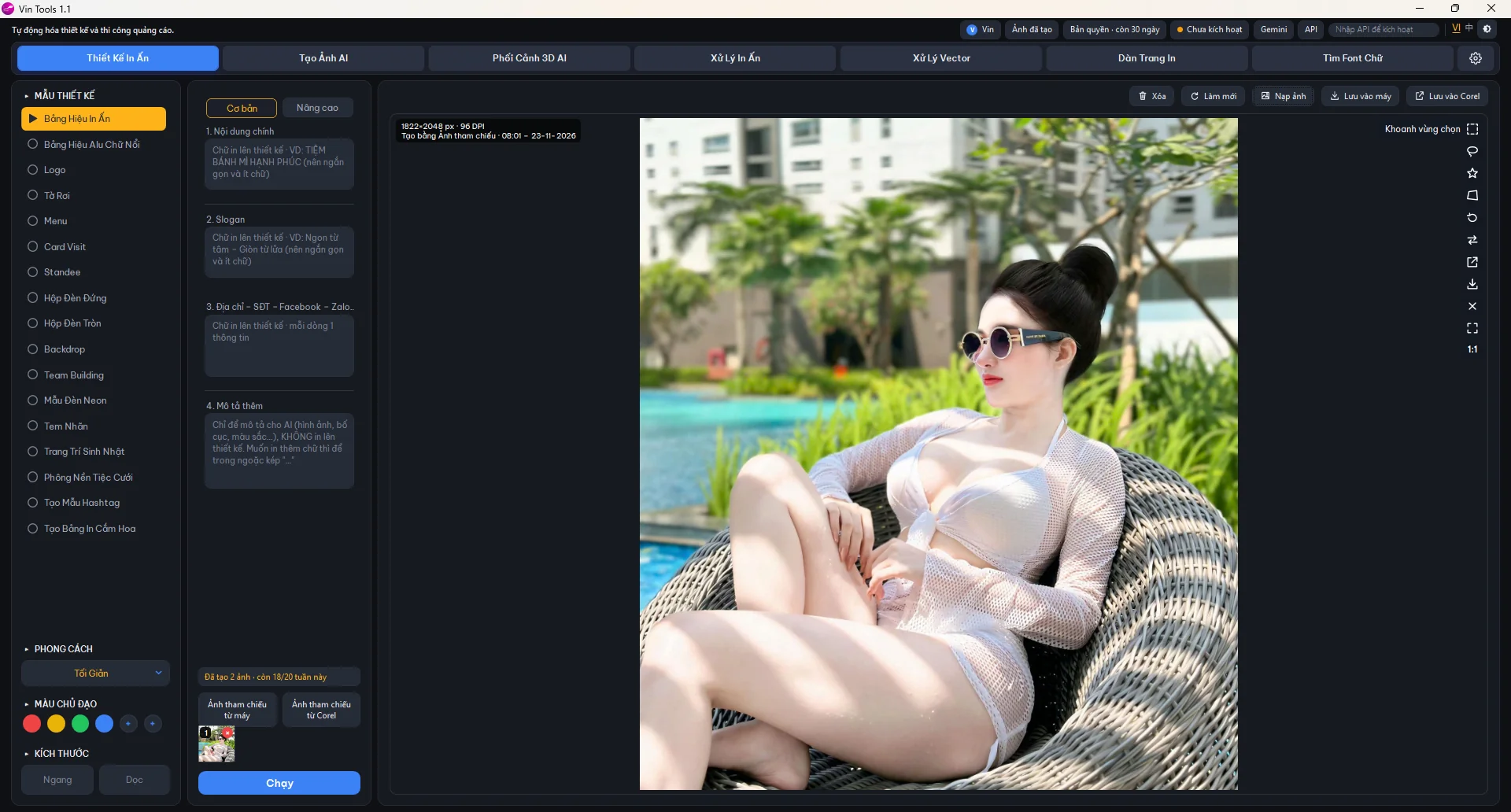
Quickly draft sign concepts from templates: pick a style, colors and real-world size, then fill in your content. Get a design you can keep editing right in CorelDRAW or Illustrator.
Logo
Get logo suggestions based on brand name, industry and main color. Pick the one you like, then fine-tune layout, colors and details on the artboard.
Menu
Lay out restaurant and café menus from ready-made templates, with dishes, prices and photos neatly balanced. Change content and print size freely before printing.
Backdrop
Create backdrops for events, grand openings and birthdays based on your content and print size. Text, images and colors are balanced for large-format banner printing.
Labels & stickers
Place product names, images and details into label and sticker templates. Arrange many labels evenly, ready to print and cut.
Flower stand boards
Design congratulation flower stand boards with greetings and sender names. Choose a template, set the colors and send it to print fast.
AI Image Generator
Vector-style images
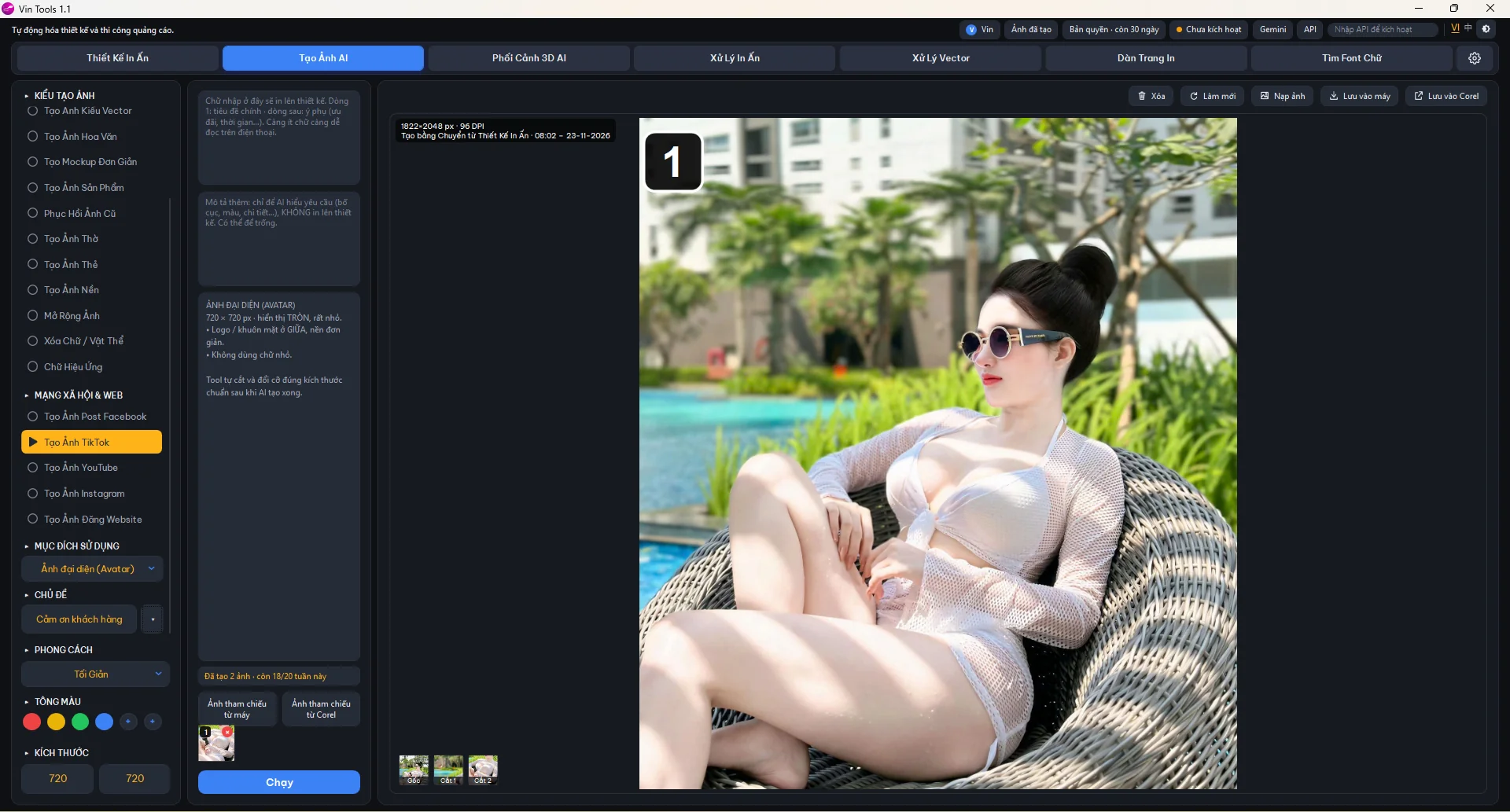
Generate images with crisp lines and flat color areas like vector art, ideal for vinyl decals and signs. Just describe your idea and AI creates it in the style you need.
Product images
Create clean, attractive product illustrations for flyers and ads. Use a reference image plus a description to get the right angle and composition.
ID photos
Create ID-style portraits from a reference photo with a clean background. Choose the size and style for printing or official documents.
Social media posts
Create post graphics in the right size for Facebook, Instagram and TikTok by topic. Combine text and brand colors so it's ready to post.
AI 3D Mockups
3D signs
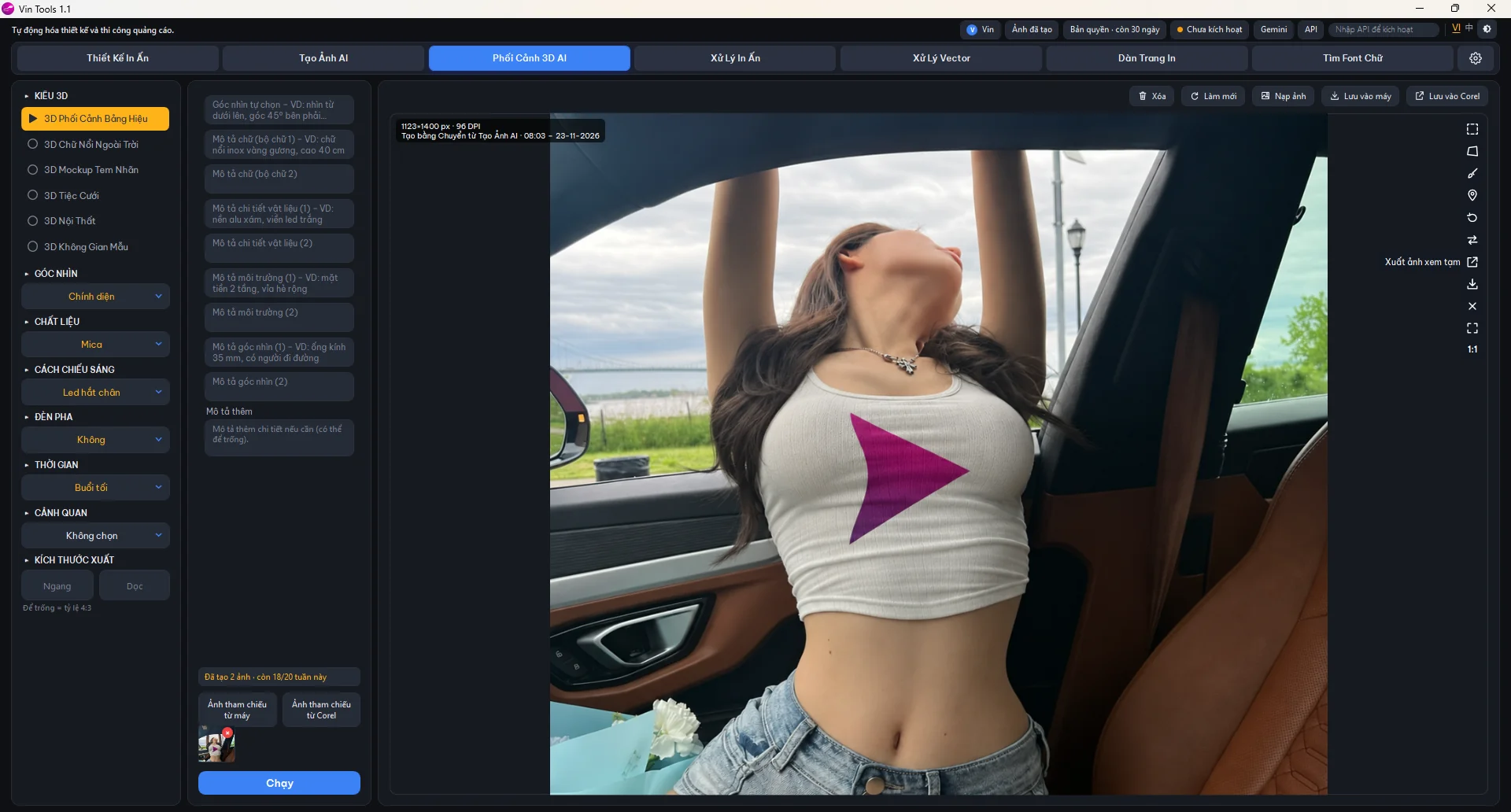
Place your sign design onto a real storefront photo to preview it before installation. Helps clients see the right position, scale and lighting.
3D mockup
Put labels, packaging or prints onto 3D objects to preview the finished product. Makes it easy to get client approval before production.
3D interiors
Preview signs, artwork and decorations inside an interior space. See whether the concept fits the real surroundings.
3D templates
Build a scene from a sample space, then choose the camera angle and lighting. Create professional presentation images for client approval.
Print Processing
Layer separation
Split an image into separate layers (background, text, graphics) to edit each part in CorelDRAW or Illustrator. Choose how it is placed: full size, trimmed, or as separate pieces.
Upscale
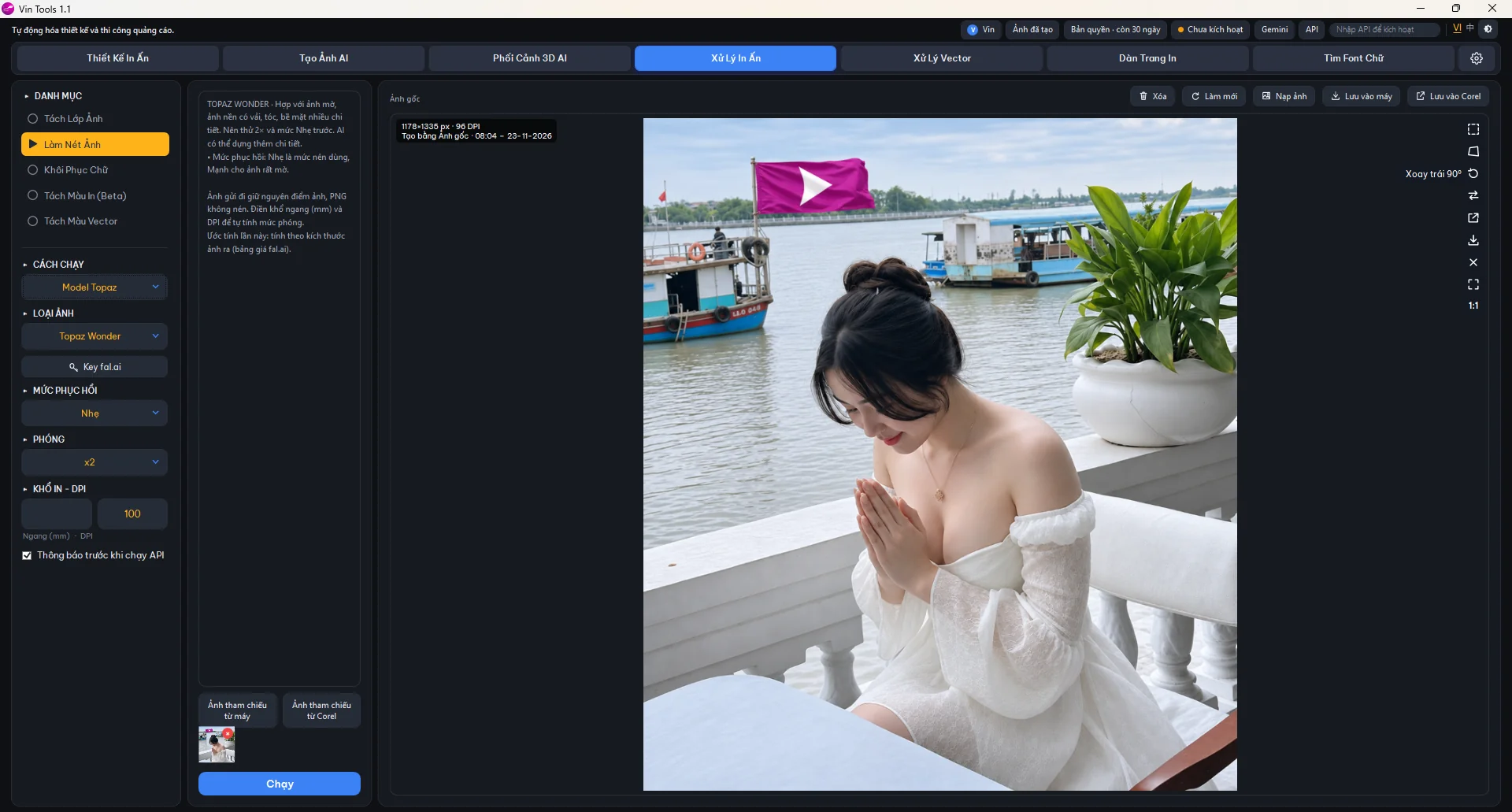
Enlarge and sharpen blurry or small images before large-format printing. Includes an on-device version (offline, free) and a high-quality AI version.
Text restoration
Restore blurry or broken text areas in images so content stays readable in print. Keeps the original layout; great for re-photographed or old images.
Image color separation
Separate images into CMYK or spot color plates for offset and screen printing. Preview each plate and place them in your document as perfectly registered layers.
Vector Tools
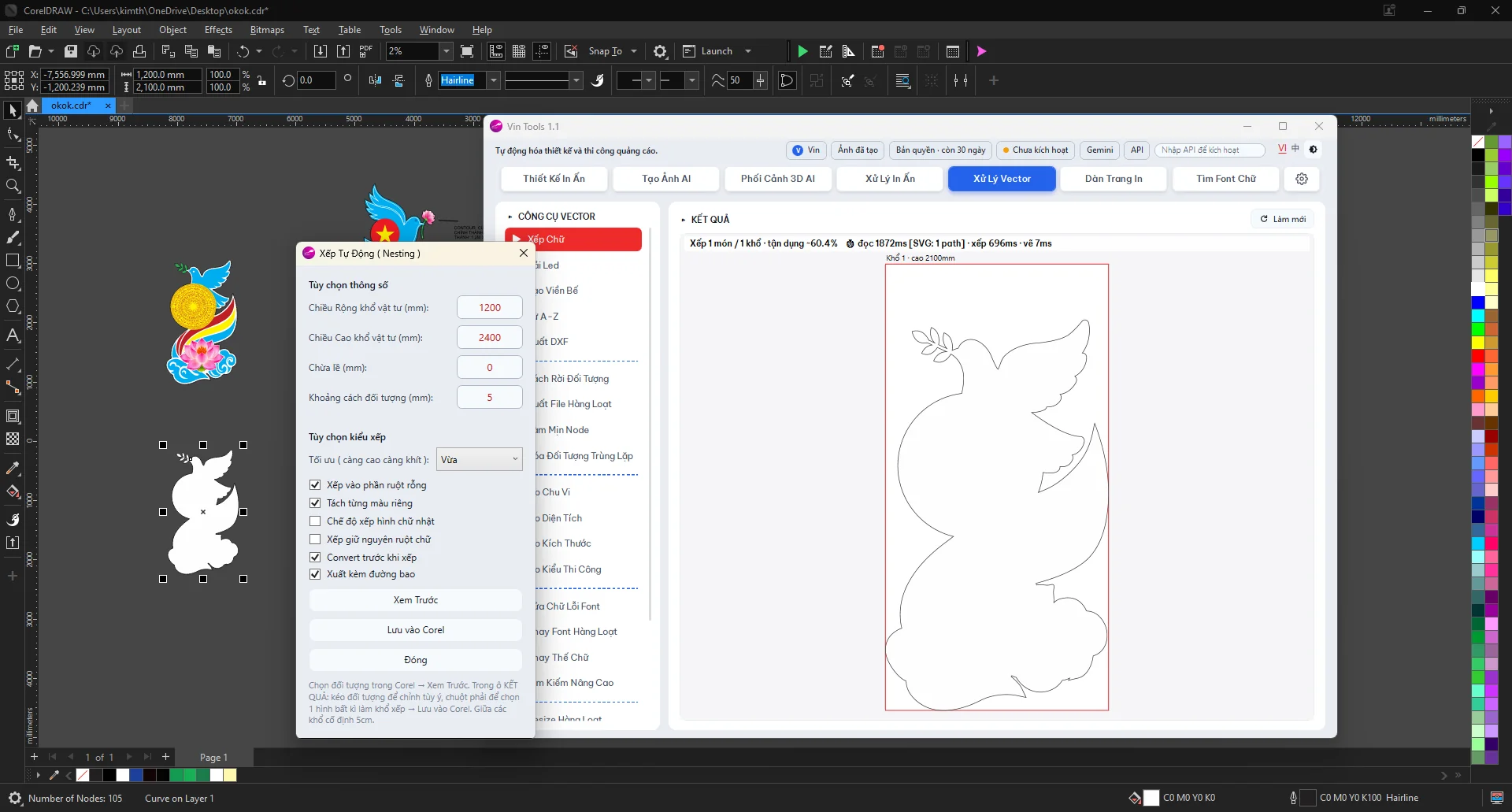
Nesting
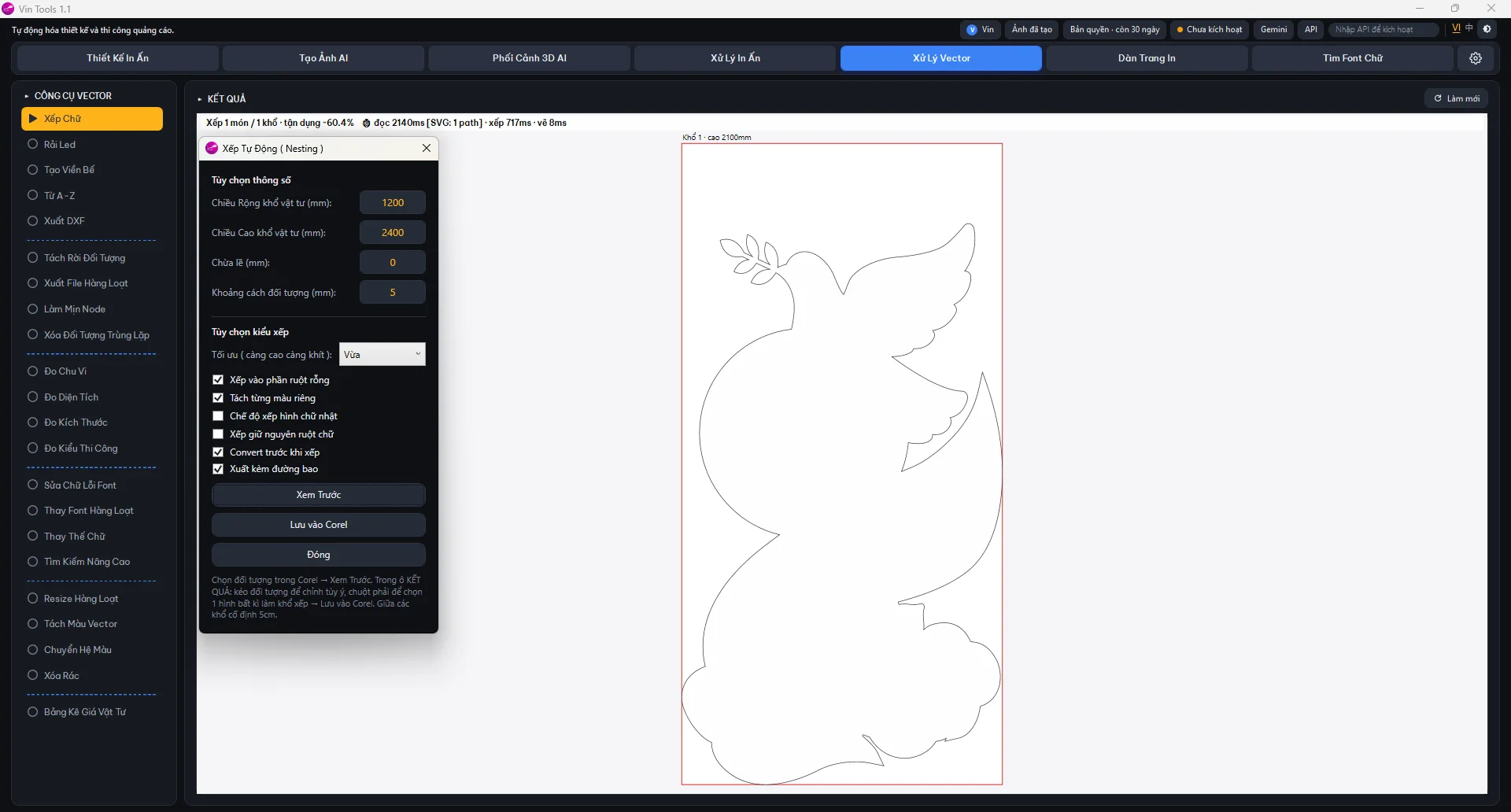
Automatically nest letters and parts tightly on the material sheet to save material when cutting with CNC/Laser. Leaves tool clearance and keeps leftover stock as one full piece.
LED layout
Automatically distribute LEDs evenly inside channel letters and sign shapes for uniform light with no dark spots. Set LED spacing and get LED and power supply counts.
Shop drawing dimensions
Add dimensions to drawings for quoting, fabrication and installation. Clear, accurately scaled measurements that are easy to read on site.
A-to-Z workflow
Combine the steps of preparing cut files into one fast workflow. Clean paths, separate letters, create outlines… in the right order with just a few clicks.
Vector color separation
Separate color areas in vector artwork to process and print each color on its own. Ideal for screen printing and multi-layer vinyl cutting.
Print Layout
Number sequencing
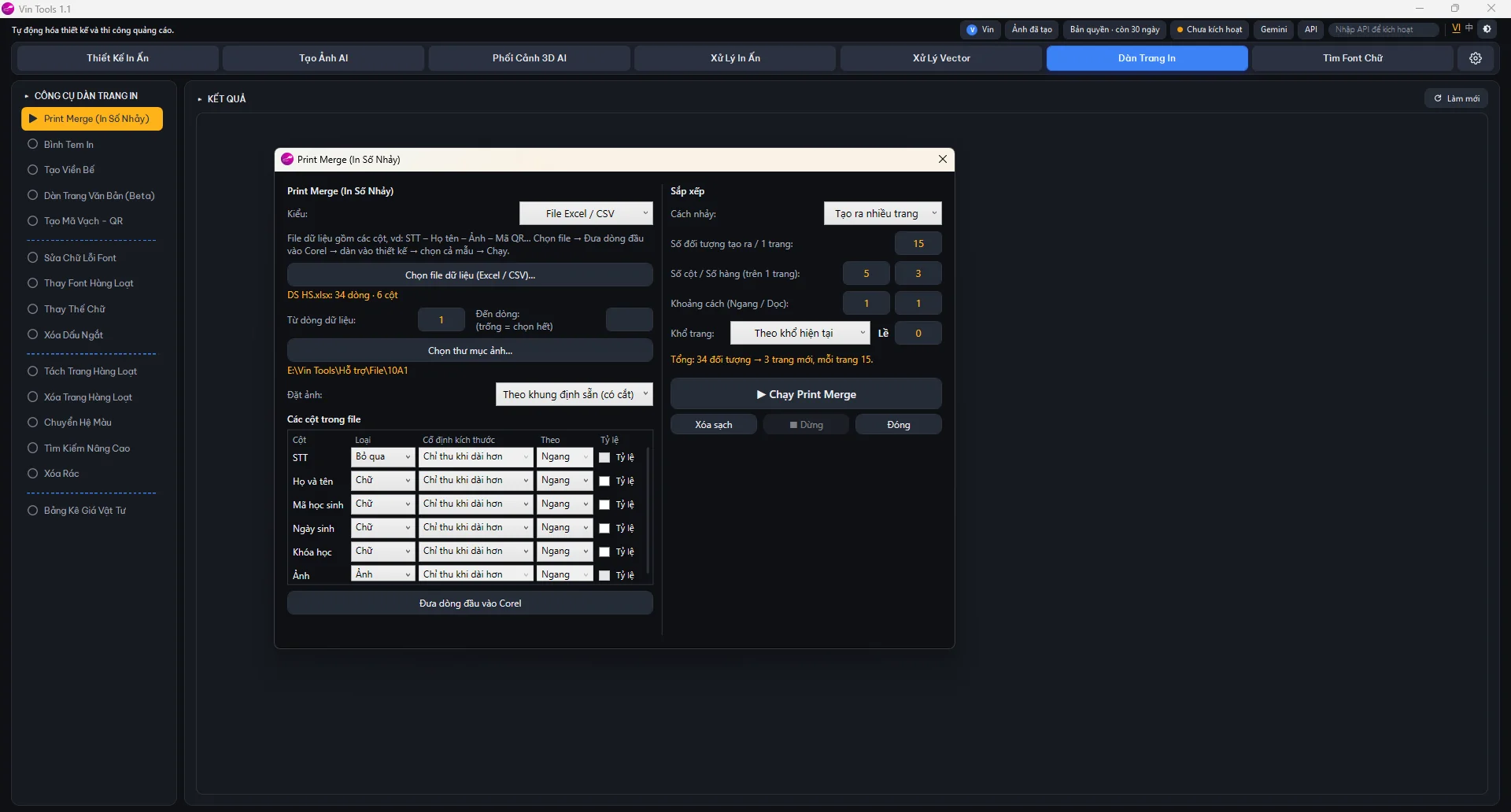
Print auto-incrementing numbers (tickets, vouchers, labels) with Print Merge. Detects numbers in the template, sets each number position separately and aligns text by baseline.
Label imposition
Arrange many labels on one print sheet to print them all at once and save cost. Spacing is set evenly and fitted to the paper size automatically.
Contour cut lines
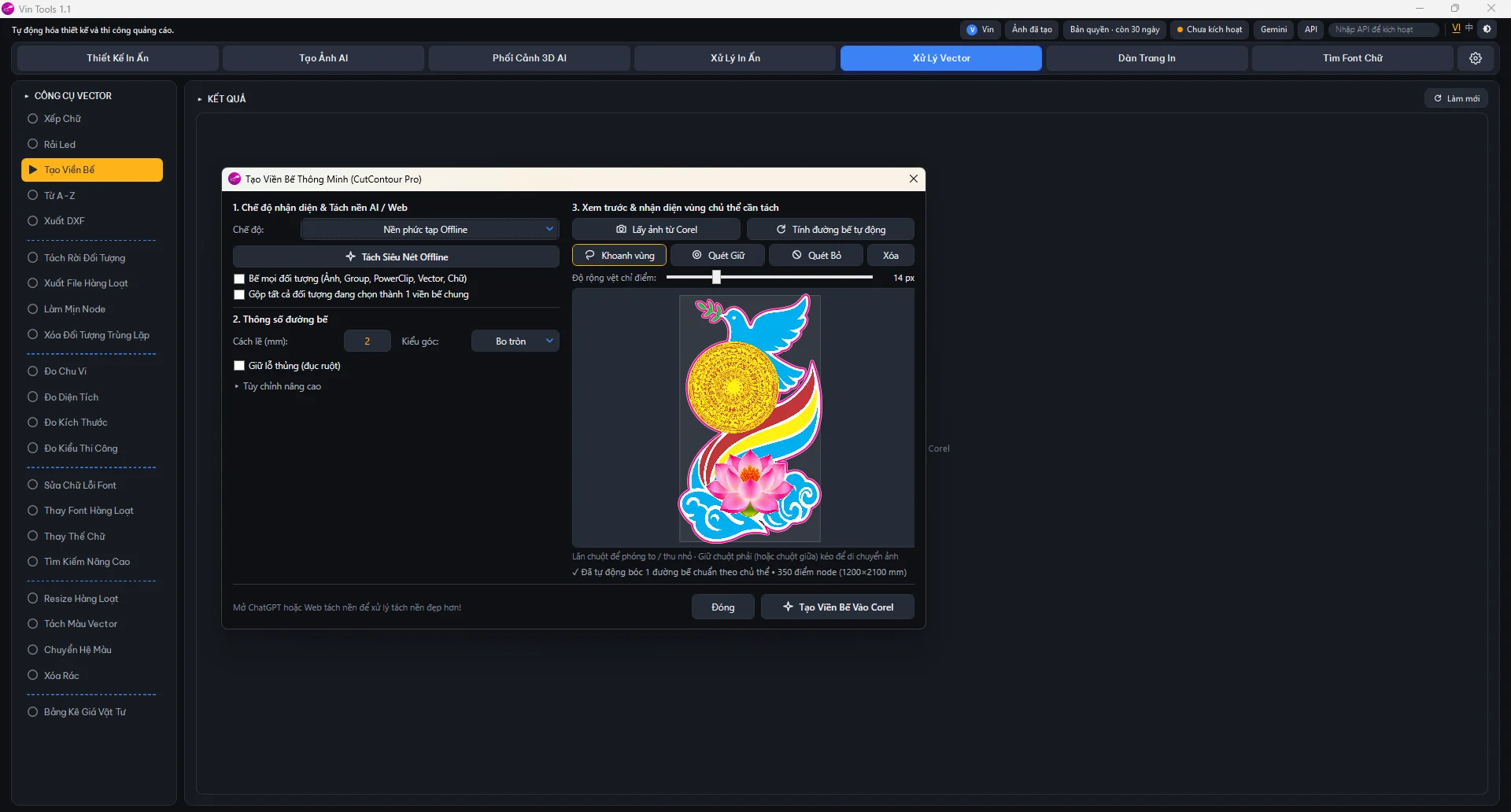
Create cut (contour) lines that follow the shape of labels and graphics. Tool offset is applied from preset values for accurate cuts that never bite into the design.
Font error fix
Fix Vietnamese text that displays incorrectly due to encoding mismatches and restore the correct spelling. Keeps your current font and only corrects the content.
Batch font replace
Change the font of many text objects in a drawing at once. Saves time when standardizing or restyling text across a whole file.
Print Layout
Arrange content by paper size and print layout (margins, columns, pages). Ideal for printing documents and small-format materials neatly.
Font Finder
Find font from image
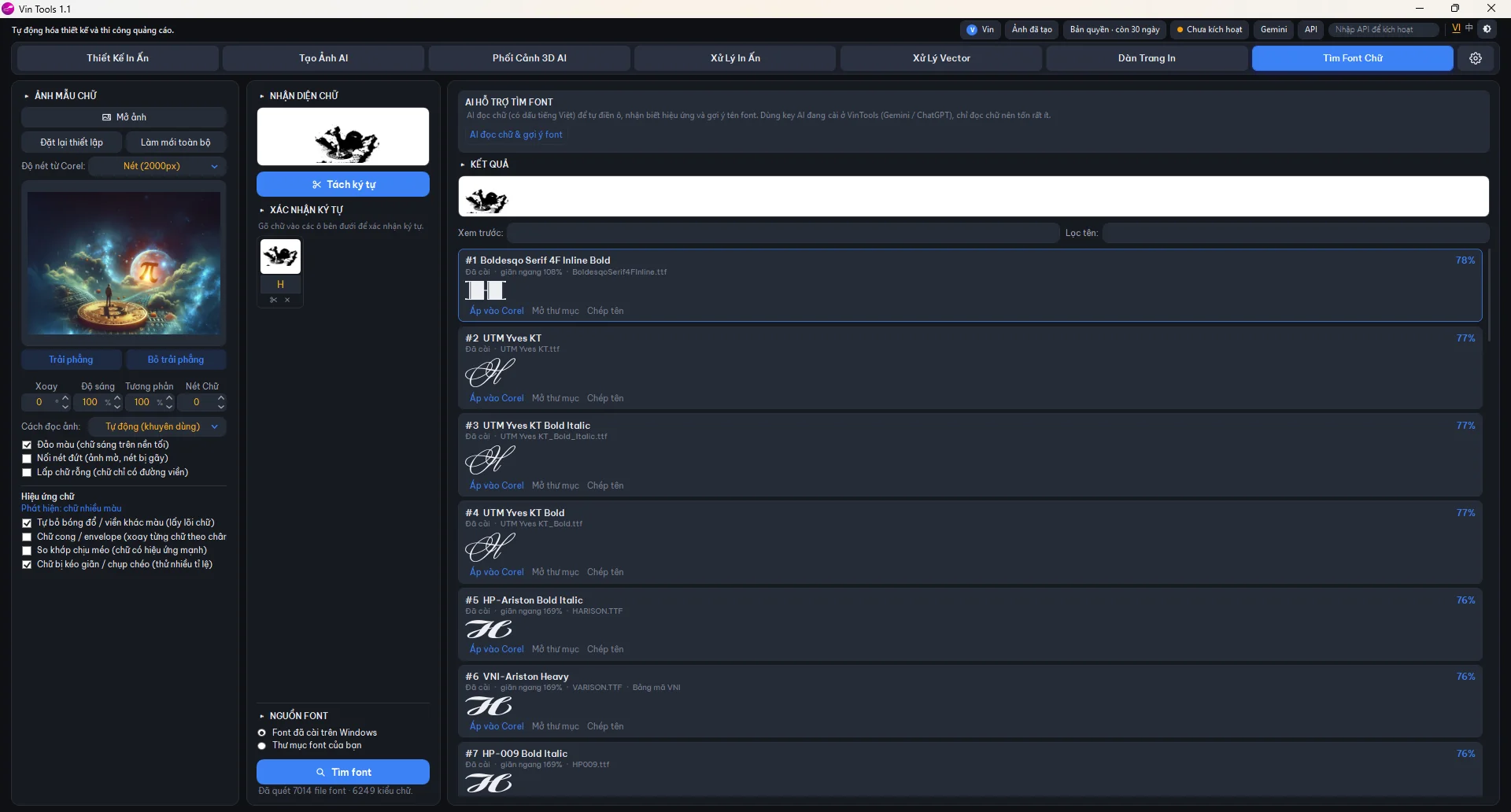
Load text images from your computer, clipboard or an object in CorelDRAW / Illustrator to identify the font. Just select the text area to start searching.
Font matching
Compare the lettering with fonts installed on your computer and font folders you add. Suggests the closest matches so you can choose quickly.
Character recognition
Separate and confirm each character in the text area before searching. Makes font identification more accurate.
Font preview
Type any sentence to preview and compare the suggested fonts. Pick the font you like and use it right away in your drawing.
AI-assisted font finder
Use AI to read the text in an image and suggest the closest font names. Great for tricky lettering, mixed styles or unclear images.
Other Tools
Break apart objects
Break apart vector objects while keeping the inner holes (counters) of letters like A, O, B intact. Ready for CNC/Laser cut file export.
Advanced search
Quickly find and select objects in a drawing by criteria (color, type, size…). Makes batch processing easier on heavy files.
Node smoothing
Smooth curves by optimizing the number of nodes on a path. Fewer extra nodes mean smoother lines and quieter machine runs.
Batch export
Export many objects or pages in one go using preset settings. File names include real size and quantity, collected in one folder for easy print pricing.
Built-in quotation sheet
Create material lists and quotes right inside Vin Nodex by quantity and unit price. Totals with VAT are calculated automatically and can be exported to send to clients.
Vin Nodex Support
License activation
Choose a license plan, pay internationally and receive your activation key quickly. Need help? Message Vin Nodex on Telegram.
View guideAPI integration
Enter the API key of your AI service into Vin Nodex to enable AI features. The key is stored securely encrypted on your own computer.
Create an AI account
Step-by-step guide to signing up for AI services to get an API key. Used for AI features such as image generation, layer separation and upscaling.
Getting started guide
Watch an intro video on installing and using Vin Nodex from scratch. Learn the main actions in just a few minutes.
View guideContact Vin Nodex
Message Vin Nodex on Telegram about installation, licensing or usage. Get direct support whenever you run into a problem.
How to Use API Keys
What is an API key
An API key is a private code issued to your account by the AI provider, letting Vin Nodex call the AI on your behalf. You pay the provider directly per use; Vin Nodex charges no extra fees.
Enter your key in Vin Nodex
Open AI settings in Vin Nodex, choose the right service, paste the key into its field and click Save. The key is encrypted and stored only on your computer, never sent to Vin Nodex servers.
OpenAI (ChatGPT)
Used for GPT Image generation and text tasks such as reading text, layout and font suggestions. Create a key at platform.openai.com; you need to add credit with a Visa/Mastercard before the key works.
Google Gemini
Used for Nano Banana image generation, text processing and AI font finding. Get a key at aistudio.google.com; text tasks have a free quota, while image generation usually requires billing (a linked card).
fal.ai
One key shared by Seedream 5.0 Pro (image generation, editing, layer separation) and Topaz (upscaling). Create a key at fal.ai, prepay in USD and pay as you go.
Magnific
Used for high-quality image upscaling with Magnific (formerly Freepik). Create an API key at magnific.com; cost depends on output size — bigger images cost more.
Image generation costs
Approximate price per image: GPT Image 2 about $0.01 draft, $0.06 medium, $0.22 best quality; Nano Banana 2 about $0.07; Nano Banana Pro about $0.13–0.24; Seedream 5.0 Pro about $0.07–0.14 depending on size.
Upscaling & layer separation costs
Topaz upscaling about $0.24 for a 6000×4000 (24MP) output; Magnific about $0.08–0.15 for 2K–4K images. Layer separation about $0.03–0.07 per layer, so a 10-layer image costs about $0.35–0.70. Text tasks cost less than $0.01 each.
Saving & security tips
Test at low quality and small size before exporting the final version, and set a spending limit in your provider's dashboard. Prices may change and international cards may add foreign exchange fees; never share your key — if it leaks, delete it and create a new one immediately.
Print Design
Key features
Swipe to see each feature
// VIDEO
Video Tutorials

LESSON 01 • DURATION 02:15
Watch on YouTube
1. Install & activate your Vin Nodex license in 2 minutes
How to download the official installer from vinnodex.com, run the setup that automatically detects CorelDRAW / Illustrator, and enter your license activation code in just a few simple steps.
QUICK STEPS
TUTORIAL LIST
// DOWNLOAD & LICENSING
Installation & License Activation
Try it free first. When you're ready to buy, choose a plan, pay internationally and get an activation key for CorelDRAW or Illustrator.
FREE TRIAL
v1.1
Free Trial
$0
/ full-feature experience
100% clean original installer — open CorelDRAW or Illustrator and it just works.
Choose the installer for the software you use.
- 7-day free trial
- Extend anytime with the plans next to it
- Full access to all features
- Free updates with new features
- AI / API keys not included (ChatGPT, Gemini, Fal.ai, Magnific)
Vin Nodex Plus
Subscription license
Use Vin Nodex for a set period before going lifetime.
International payment, fast activation key delivery.
- 1 month$6
- 3 months$15
- 6 months$25
- 1 year$35
- Valid for the duration of your plan
- Full access to all features
- Free updates with new features
- AI / API keys not included (ChatGPT, Gemini, Fal.ai, Magnific)
VIN NODEX PRO
RECOMMENDED
Lifetime License
$79
/ lifetime — full suite
For sign shops, CNC/Laser workshops and designers.
International payment, fast activation key delivery.
- Pay once — the best value for long-term use
- Lifetime access
- Full access to all features
- Free updates with new features
- AI / API keys not included (ChatGPT, Gemini, Fal.ai, Magnific)
Vin Nodex Interface
1 / 9